
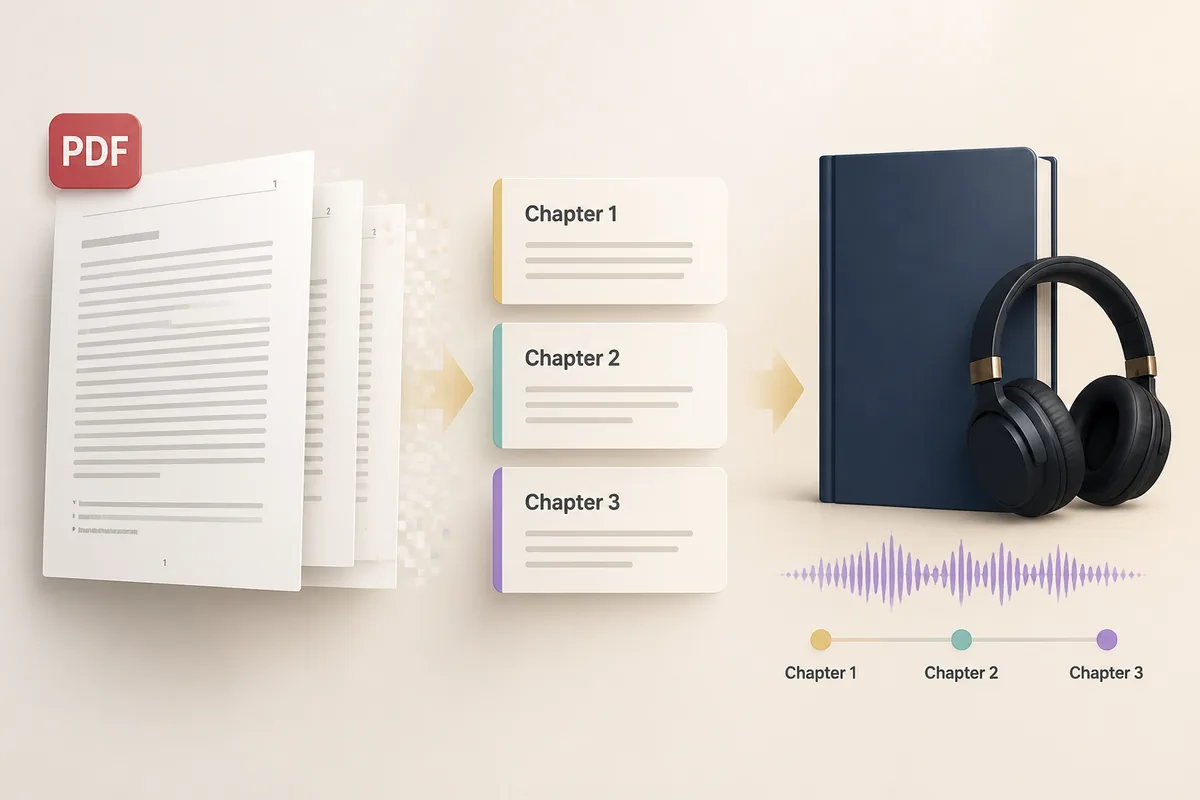
How a PDF Becomes a Chaptered Audiobook
Converting a PDF into a chaptered audiobook is harder than it looks. Unlike EPUB, a PDF has no built-in structure — just pages with text on them. SonikaAI detects chapter boundaries, strips out page noise, and delivers a navigable audiobook complete with cover art and metadata, all without any manual splitting on your part.
An EPUB already carries a table of contents, clearly marked sections, and service pages separated from the main text — so "EPUB to audiobook" tools can handle it in a single command. PDF structure detection is a different problem entirely. Where the preface ends and the first chapter begins, what is a genuine heading versus text set in a larger font, whether there is a table of contents at all — none of this is written into the file's markup. It has to be worked out from what is actually on the page. That gap is exactly what separates a "voiced document" from a proper audiobook.
The Processing Steps
When you upload a PDF to SonikaAI in Book mode, three things shape the result:
- Output language. If the book is already in the language you want, specify it and the translation step is skipped — only narration runs. If the source language is different, translation happens first and the audio is generated from it in the same pass. There is no need to copy text between a translator and a separate voice-over service.
- "Gist Only" mode. Tells the service what to narrate: the main body text, or the entire document including service pages. For most books you will want this on.
- Page range narration. Before committing to a full volume, you can pick a small range — say, the first two chapters — listen to how the voice handles the terminology, and then proceed. You pay only for the pages you actually process.
Where the Chapters Come From
Audiobook chapter navigation starts with finding the chapter boundaries. If the PDF contains a table of contents, those entries are used directly. If there is no table of contents, the structure is reconstructed from the headings found in the body text — based on how they are typeset and where they appear. Those boundaries become the chapters embedded in the finished audio file. In any player that supports chapters, you can jump between them inside a single file rather than hunting through dozens of separate tracks.
If the book can be identified by ISBN, the cover image, title, and author are pulled automatically and added to the audio metadata — giving you an ISBN cover art audiobook that looks and behaves like a professionally produced title in your player. For books with no clear structure, the chapter breakdown will be approximate, working from whatever headings the document actually contains.
Why Page Noise Removal Matters
PDF is full of things that look fine on screen and become unbearable to listen to: page numbers read aloud mid-sentence, running headers and footers repeated on every page, footnotes, bibliography sections, title pages. In a short document this is barely noticeable. In a large PDF narration of several hundred pages, every footer wedges itself into the middle of a sentence and makes the audio impossible to follow. "Gist Only" mode strips all of that out and leaves the main text. If you turn it off, the book is narrated exactly as downloaded — which is occasionally what you need, but rarely for a full-length read.
What to Check Before You Upload
The PDF must contain a text layer. The simplest check: if you can select text in the document with your mouse, the file will work well. Scanned pages are also handled — OCR extracts the text — but scanning introduces its own artefacts: torn page numbers, distorted headers that run into the body text. These are filtered out, but a result from an old scan will always be somewhat rougher than from a digitally born PDF. When you have a choice, prefer the digital original.
The whole process runs in the background, so there is no need to keep a tab open while a long book is being processed. Come back when it is ready and find the file waiting in your account. Researchers working with lengthy academic PDFs, students who have a textbook in one language but need to listen in another, and anyone who has ever tried to split a 400-page PDF into pieces just to get it into an online tool will find that none of that is necessary here. You can also learn more about choosing the right voice for document narration before you start, to make sure the result sounds exactly as you want it. If you're comparing audiobook narration options, the comparison page lays out the differences.
No card is required to get started. The opening section of your file is processed free, so you can hear the result — voice, chapter structure, cleaned-up text — before deciding whether to run the full volume. Start Free and upload your first PDF to see what a proper chaptered audiobook from it actually sounds like.