
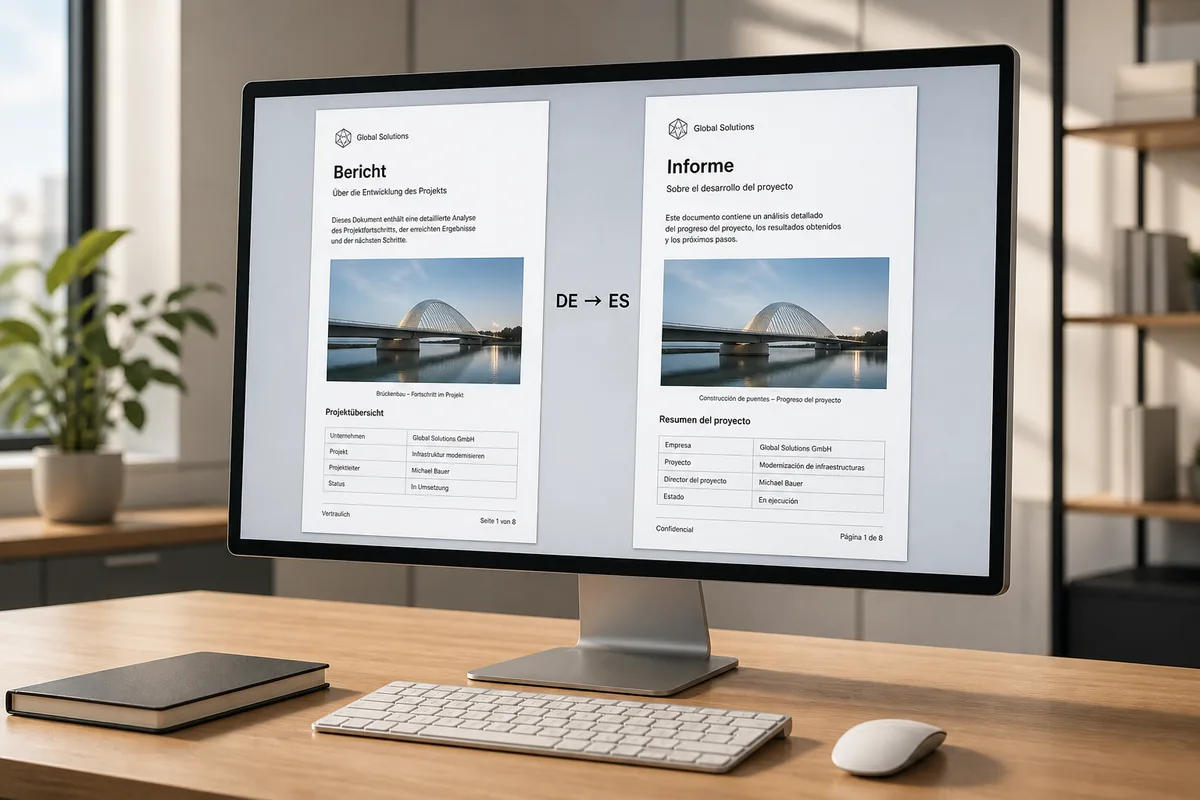
PDF was built for printing, not editing. Text inside a PDF doesn't flow in paragraphs the way it does in a Word document — it sits at fixed coordinates on the page. That's why most online translation tools return bare, stripped text with no structure at all, leaving you to rebuild the layout from scratch before the document is usable again.
SonikaAI's Document mode takes a different approach to PDF translation with layout preserved. Instead of extracting a flat text dump, it reads the file block by block, records the position of each text element, translates the content, and slots the result back into exactly the same locations. Letterheads, footers, page numbers, image captions, and footnotes all stay where they were in the original. Images are untouched. What comes back is a finished PDF — not a plain text file or a layout rebuilt from zero.
What kinds of PDFs does this work with?
Document mode works with PDFs that have a real text layer — files exported from Word, LibreOffice, a typesetting tool, or a design program. The quickest way to check: open the PDF and try to select a sentence with your mouse. If the text highlights, there's a text layer and Document mode will handle it. Scanned files where the pages are images without any selectable text are not supported. If you have the same document in Word format, sending that version will give you the closest possible result, since DOCX structure is explicit and the translation slots back in almost 1:1.
How the process actually works
Upload the file, choose Document mode on the first screen, set the source and target languages, and submit. From there, SonikaAI handles everything in the background — no need to keep a tab open waiting. One thing worth knowing: when translated text is longer than the original (English to German, for example, can run twenty percent or more longer), the paragraph is scaled down slightly to fit its original frame. That's normal behavior, not a rendering error, but it's worth keeping in mind if your layout is tightly constrained. You can also select a specific page range and pay only for those pages rather than the whole document — useful when you only need one section translated.
When Document mode is the right choice — and when it isn't
Document mode is the right pick whenever the appearance of the file matters: a contract that needs to look like a contract, a technical report that has to keep its section headings and tables in place, a formatted brochure a client will actually read. Freelance translators who spend time manually reformatting PDFs after a machine-translation pass, and professionals dealing with lengthy multi-section reports, tend to get the most out of it. That said, complex nested tables or pixel-perfect layout fidelity aren't guaranteed — the block structure is preserved, but the grid itself isn't semantically reorganized. If comfortable reading or an audio version matters more than the visual layout, Book mode is the better fit: text is rendered in clean, readable typography with chapter navigation. If you're comparing PDF translation options, the comparison page breaks down the differences.
No card is needed to get started — the first section of your document is processed free, so you can judge the translation quality and layout fidelity before committing to the full run. Start free and upload your own PDF to see exactly what comes back.